Help Understanding Confusing Software Screens at Work
Don’t Understand a Software Screen at work? Here’s What to Do
Stuck on a confusing software screen at work?
Paste a screenshot into Data Levee and get a clear explanation of what you’re looking at and what to do next.
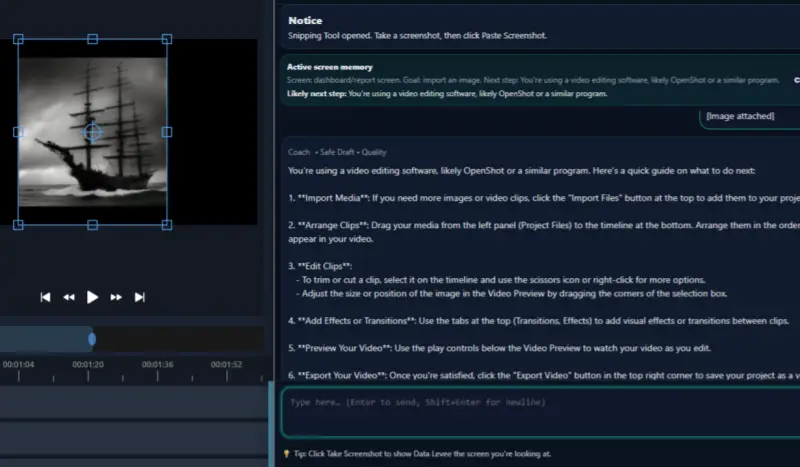
Feeling stuck staring at a screen you don’t understand? You’re not alone.
Instead of guessing or wasting time searching, you can take a screenshot, ask your question, and get a clear explanation of what you’re looking at — and what to do next.
Most people don’t struggle because they’re bad at their job — they struggle because software isn’t explained clearly, and nobody shows you what things actually mean.
That’s where Data Levee helps.
What to do when you don’t understand a software screen at work

Example: Data Levee explaining an unfamiliar GIMP screen and what to do next.
How Data Levee helps you understand any screen at work
- Take a screenshot of the software you don’t understand
- Ask your question in plain language
- Get a clear explanation of what you’re looking at and what to do next
You don’t need to figure everything out on your own
It’s normal to feel lost when you’re using unfamiliar software — especially at a new job or when no one has shown you how things work.
Data Levee is designed to help you think clearly, understand what you’re seeing, and move forward without second-guessing yourself.
You’re not expected to know everything. You just need the right explanation at the right time.